Master English
- 4.9
- Rating
- 1.00M
- Installs
- Free
- Price

 Analysis by App-foxy
Learning English is easy to start and surprisingly difficult to maintain. I have tried plenty of language apps that make the first session feel productive, then lose their usefulness once the novelty disappears. Master English takes a more focused route: it is an education app from Master English Program built around the practical goal of speaking English more fluently. That focus makes it appealing, but it also means the experience is best judged by how well it supports regular speaking practice rather than by how many unrelated language tools it includes.
What caught my attention is the app’s straightforward identity. It is free to install, suitable for Everyone, and available for devices running Android 10 or later. Its strong public reception—an average of 4.9 from roughly 27 thousand ratings—suggests that many learners find the approach useful. I would still treat that figure as a starting point, not a guarantee: language learning depends heavily on consistency, current ability, confidence, and whether the app’s style matches the way you like to study.
How Master English fits into a real learning routine
I see Master English as a companion for learners who want to turn passive knowledge into spoken ability. Reading vocabulary lists can help recognition, but it does not automatically make a person comfortable answering a question, forming a sentence quickly, or continuing a conversation after making a mistake. An app centered on speaking can be more valuable for those moments, especially when a learner does not yet feel ready to practise with another person.
You May Also Like

 Blood Strike: 2.5 Anniversary
Blood Strike’s Loadouts Turn Every Drop Into a Tactical Gamble
A close look at Blood Strike’s custom loadouts: how fast access to signature weapons reshapes its battle royale rhythm, rewards preparation, and narrows the gap between fights.

 Pandora - Music & Podcasts
Pandora’s Music Is Easy to Start, but Harder to Recover
Pandora’s strength is its low-effort path from a seed to a station. Its weak spot is how much confidence it asks you to place in connection, setup, and quiet recovery.

 8 Ball Pool
 Is Built on Rivalries, Rematches, and Routine
A close look at the rivalries, rematches, shared routines, and unanswered safety questions that turn a quick pool match into a persistent mobile community.

 Samsung Music
’s Quiet Strength Is Playing What You Already Own
Its reach comes less from spectacle than from dependable access to a personal library. That simplicity is both the app’s strongest retention engine and its ceiling.

 AccuWeather: Weather Radar
AccuWeather Review: A Quick, Clear Forecast for Everyday Decisions
For everyday plans, the best forecast is the one you can understand quickly. AccuWeather makes rain timing, radar, and local conditions easy to act on, with a few trade-offs.

 Hill Climb Racing
Why Hill Climb Racing Still Turns Crashes Into One More Run
A tiny car, a bumpy hill and one more upgrade: Hill Climb Racing keeps resurfacing because its simple chaos makes every near-miss feel personal.
More From Our News Desk



The most sensible way to use it is in short, repeatable sessions rather than occasional long visits. For example, I would open it during a commute, complete a focused exercise, and then try to reuse a few expressions later that day. The second step matters. If I only tap through activities and never attempt to say the language away from the screen, I am training recognition more than communication.
A realistic routine might happen before work. I could spend a few minutes reviewing a phrase pattern, say the examples aloud instead of reading silently, and then use one of those patterns when writing a message or speaking to a colleague. In the evening, I could return to the same material and check whether the wording still comes naturally. That small loop—encounter, speak, reuse, revisit—is more useful than treating the app as a daily box to tick.
The app’s store summary promises help with speaking English fluently, while its short description is simply “Master English.” I appreciate the directness, but fluency is a long-term result, not something any single app can provide by itself. Master English can support pronunciation habits, vocabulary recall, and confidence-building practice; it cannot replace real conversations, listening to varied speakers, or writing when those are part of your goal.
Who is likely to benefit most
I would recommend trying it first if you understand basic English but hesitate when you need to speak. That learner often knows more than they can produce under pressure. Repeated practice with familiar sentence structures can reduce the delay between thinking and speaking, which is a different problem from simply not knowing enough words.
It may also suit busy adults who need a low-friction study option. A phone-based lesson is easier to fit between errands than a scheduled class, and the free entry point makes experimentation less risky. The app has passed the million-install mark, so it is clearly being used at a substantial scale, although popularity alone does not tell me whether every learner will enjoy its teaching style.
Beginners should approach it with realistic expectations. If you are starting from almost no English, you may need to pause often, repeat the same material, and supplement the app with a basic explanation of grammar. Learners at an intermediate level may get more value by using it to activate vocabulary they already recognize. Advanced users, meanwhile, could find the material too controlled if they mainly need professional writing, academic reading, or highly specialized conversation.
Where it differs from ordinary alternatives
Traditional flashcard apps are excellent for memorizing isolated words, but they can leave you knowing a definition without knowing how to place the word in a natural sentence. General classroom courses provide broader structure and feedback from a teacher, yet they require fixed schedules and usually cost more in time or money. Conversation exchanges offer genuine interaction, though they can be intimidating and inconsistent, particularly for someone who is still building confidence.
Master English occupies the space between those options. It is more directed toward speaking than a simple vocabulary deck, more private than a live conversation, and more flexible than a class. The trade-off is equally important: a guided app cannot notice every personal mistake or adapt like a skilled teacher who hears your speech and asks follow-up questions.
I would not choose it as my only tool if my immediate goal were an interview in a specific profession, an examination with a fixed syllabus, or advanced pronunciation coaching. In those situations, a tutor, exam course, or specialist resource would probably be a better primary choice. I would use this app as the daily practice layer around that more targeted support.
Trust, controls, and moments that deserve attention
When I review an education app, I do not judge trust only by its rating. I also look at what the user can see and control while using it. Master English is presented as a free app for a general audience, with optional in-app purchases priced at $13.99 per item. That makes the starting decision simple, but I would still read each purchase screen carefully before confirming anything, especially if a child uses the device or if payment approval is shared with family members.
The age classification is Everyone, which makes the app broadly approachable. That label should not be confused with a promise that every learner will find the content equally suitable for their level. Parents can reasonably let a child explore an English-learning tool, but I would remain involved around account access and purchases rather than assuming the age label handles every practical concern.
Account and privacy decisions are most important at the moments when the app asks for information, permissions, sign-in details, or payment confirmation. I would slow down at each of those screens, grant only what feels necessary for the activity I intend to use, and check the device’s permission settings afterward. If an option is unclear, I would avoid accepting it automatically and look for an explanation inside the app or the platform settings.
The same caution applies to progress data. A learner may want saved progress and personalized continuity, but that convenience can involve account choices that deserve attention. Before creating an account, I would check what is optional, whether the app offers a usable path without signing in, and how to manage or remove the account if I later stop using the service. I am not treating those controls as guaranteed features; I am describing the checks I would make before committing personal information.
Practical ways to get more from each session
My first tip is to speak before you feel ready. Reading an example silently creates a comfortable illusion of mastery. I would cover the text after studying it, reconstruct the sentence aloud, and then compare my attempt with the model. This exposes missing connectors, verb endings, and word order—small details that often disappear when I only recognize the sentence on screen.
My second tip is to keep a “use today” limit. Rather than trying to remember every new expression, I would select two or three that fit my real life. If I am preparing for a meeting, I might choose phrases for agreeing, asking for clarification, or buying time. I would then make a short voice note or say them while walking. The goal is not to collect more material; it is to make a small amount available without hesitation.
My third tip is to separate app practice from conversation practice. After a session, I would spend a few minutes describing my day, summarizing a message, or answering a question aloud without looking at the lesson. This reveals whether the learning transfers. If I can complete the exercise but cannot produce a related sentence independently, I would repeat the same topic instead of moving forward just for the sake of progress.
A fourth useful habit is to revisit difficult items on different days. Same-session repetition can feel successful because the wording is still fresh. Waiting until the next day gives a more honest test of recall. I would mark the phrases that disappear first and build them into ordinary tasks, such as ordering food, explaining a problem, or making a plan. This turns the phone exercise into a bridge toward real communication.
Limitations I noticed in the overall proposition
The biggest limitation is the gap between guided practice and unpredictable conversation. A person can become comfortable with familiar prompts yet freeze when another speaker uses an unexpected expression, changes subject, or speaks quickly. Master English may help build a foundation, but I would not mistake smooth progress inside the app for proof that I am ready for every real-world exchange.
Another limitation is motivation. The app can make practice available, but it cannot create a personal reason to continue. If I open it only when I feel inspired, the free format may become another unused icon. I would connect it to a fixed event—morning coffee, a lunch break, or the end of the workday—and keep the target modest enough that skipping feels less tempting.
There is also a financial decision for regular users. Free access is useful for testing the teaching approach, while optional items costing $13.99 each may become relevant if I want more of what the app offers. I would use the free experience long enough to decide whether the exercises fit my level and routine before paying. A purchase is worthwhile only if it changes my consistency or gives me material I will genuinely use; it is not automatically good value simply because the app has a high rating.
Device compatibility is another practical checkpoint. The current version is 1.18.3, and the minimum operating system is Android 10. On a newer phone, that should be a straightforward installation consideration. On an older device, I would check compatibility first rather than assuming every Android handset can run it. This is a small detail, but it matters when recommending the app to relatives or learners using an older phone.
My cautious recommendation
After looking at the app as both a learning tool and a service that deserves sensible user control, I think Master English is worth trying for learners who want regular speaking-oriented practice without immediately joining a class. Its clear educational purpose, free starting point, Everyone age rating, and broad adoption make it easy to test. The developer, Master English Program, has kept the product identity focused rather than presenting it as a solution to every possible English need.
I would recommend beginning with a short trial routine, not an immediate purchase. Use the app at the same time each day, say the material aloud, and test one expression outside the app. Pay attention to whether the exercises help you produce language rather than merely recognize it. At the same time, review sign-in, permissions, saved-progress choices, and purchase screens with care; convenience should not replace informed control.
My final view is positive but measured. This is a useful practice companion for someone who understands that fluency grows through repetition and real use. It is less suitable as a complete course for advanced, professional, or exam-specific goals, and it should not be expected to substitute for human conversation. If you want a focused way to make English speaking practice part of an ordinary day, Master English deserves a fair trial. If you need detailed correction, specialized vocabulary, or a teacher who can adapt instantly to your mistakes, I would pair it with a more personal or specialized alternative rather than relying on it alone.
FAQs for Master English
01What is Master English and how does it work?
Master English is an interactive language learning app designed to improve your English skills through various exercises, quizzes, and real-life scenarios. The app uses AI-driven technology to tailor lessons to your proficiency level, ensuring personalized learning experiences. It covers grammar, vocabulary, listening, and speaking skills, making it a comprehensive tool for learners.
02Is Master English suitable for beginners?
Yes, Master English is designed for all proficiency levels, including beginners. The app starts with fundamental concepts and gradually progresses to more advanced topics. It offers a step-by-step approach, ensuring that beginners can build a solid foundation in English while gradually enhancing their language skills.
03Does Master English require an internet connection?
While Master English offers offline access to some of its features, such as vocabulary exercises and certain lessons, regular updates and interactive features like speaking practice require an internet connection. This ensures users have the latest content and can fully benefit from the app's dynamic learning tools.
04Are there any subscription fees for Master English?
Master English offers a free version with basic features and a premium subscription for advanced content and additional resources. The subscription provides access to exclusive lessons, ad-free experience, and personalized coaching sessions. Check the app store for the latest pricing and subscription plans to choose what best suits your needs.
05How can Master English help improve speaking skills?
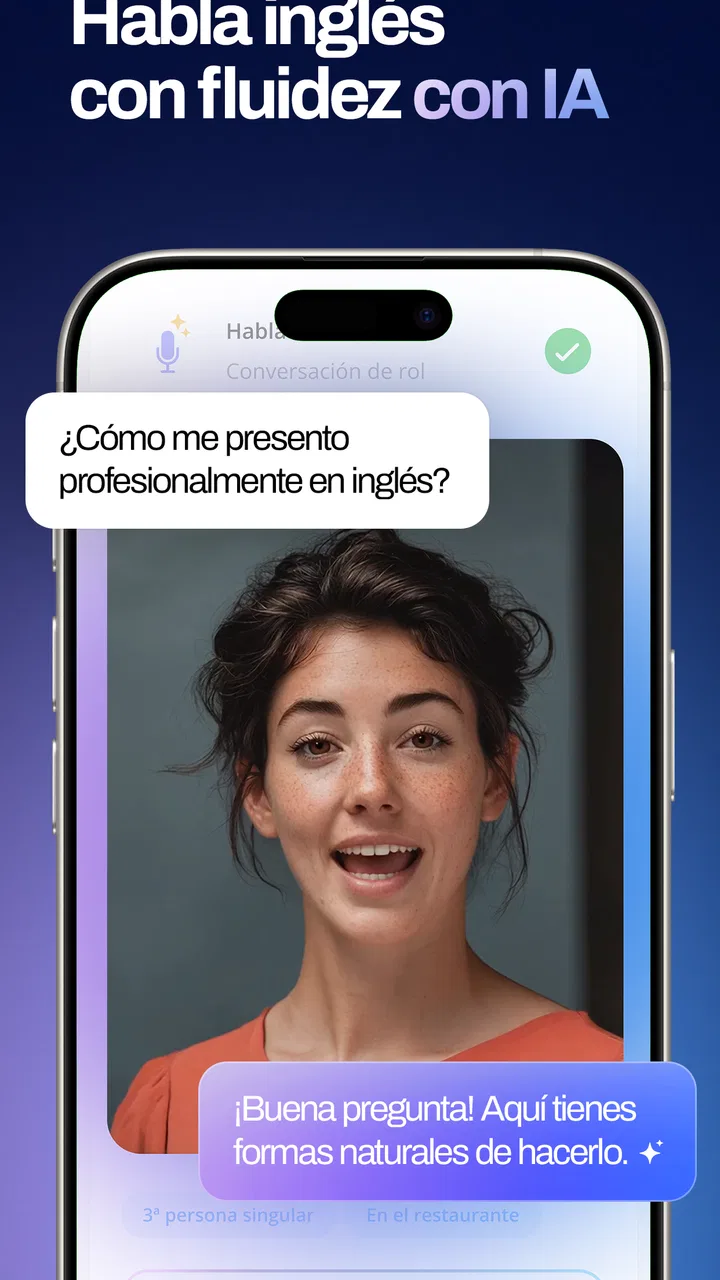
Master English includes interactive speaking exercises designed to enhance pronunciation and fluency. It uses voice recognition technology to provide feedback on your pronunciation, helping you refine your speaking skills. The app also offers conversation practice with AI partners, simulating real-life dialogues to boost your confidence in speaking English.
Pros
- User-friendly interface for easy navigation.
- Comprehensive lessons for all proficiency levels.
- Interactive exercises enhance engagement.
- Offline mode for learning without internet.
- Regular updates with new content.
Cons
- Subscription required for full access.
- Limited free content available.
- Occasional bugs in offline mode.
- Requires a stable internet connection.
- Ads can be intrusive in free version.

Master English
Gallery